Unable to use 4G but 5G works

  • Thread starter Thread starter TheNuttyNet
  • Start date Start date
  • Replies Replies 23
  • Views Views 5,541
@pachabhut Yes i think i saw this issue on this forum or namdhari infotech's youtube channel but I've just used this simcard with s20 fe 5g and LG g8x (for 30-40mins to check 4g)

@Lolita_Magnum i went through one of your reply on forum regarding APN working only with ipv6 and no service with ipv4, did changes still no use
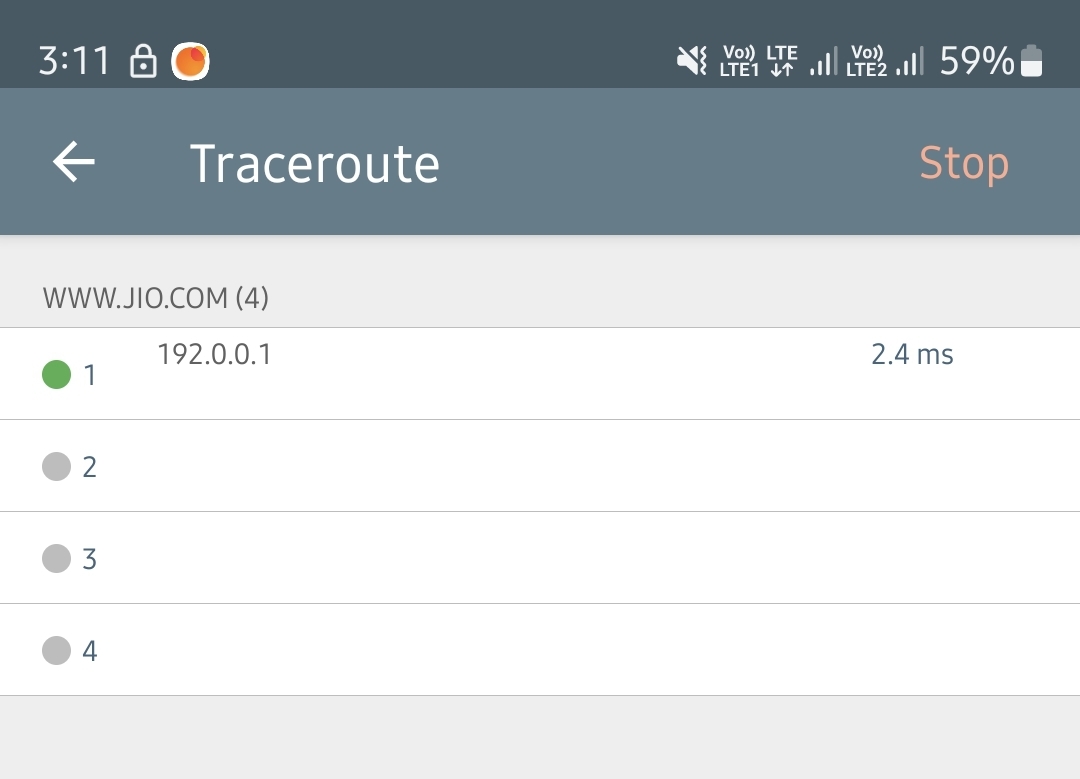
 
@pothi As you mentioned "connecting" status during call on botim, indeed sometimes during call i can ping for a few seconds but after that 100% packet loss.
 
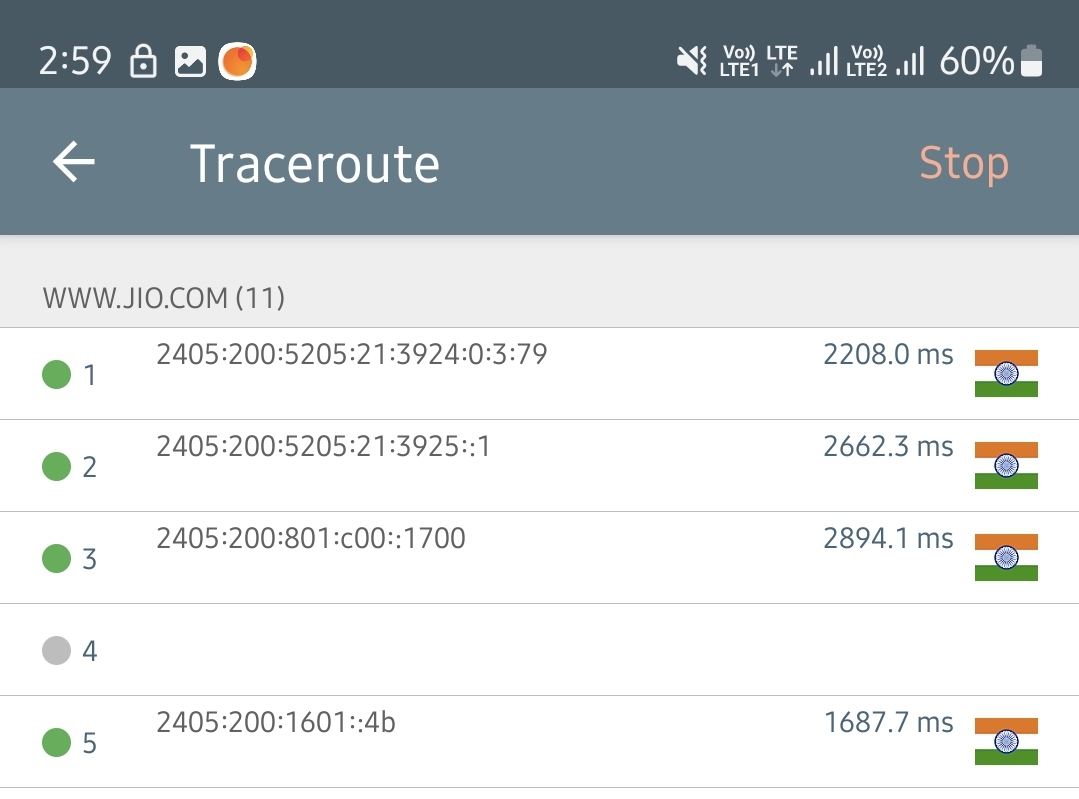
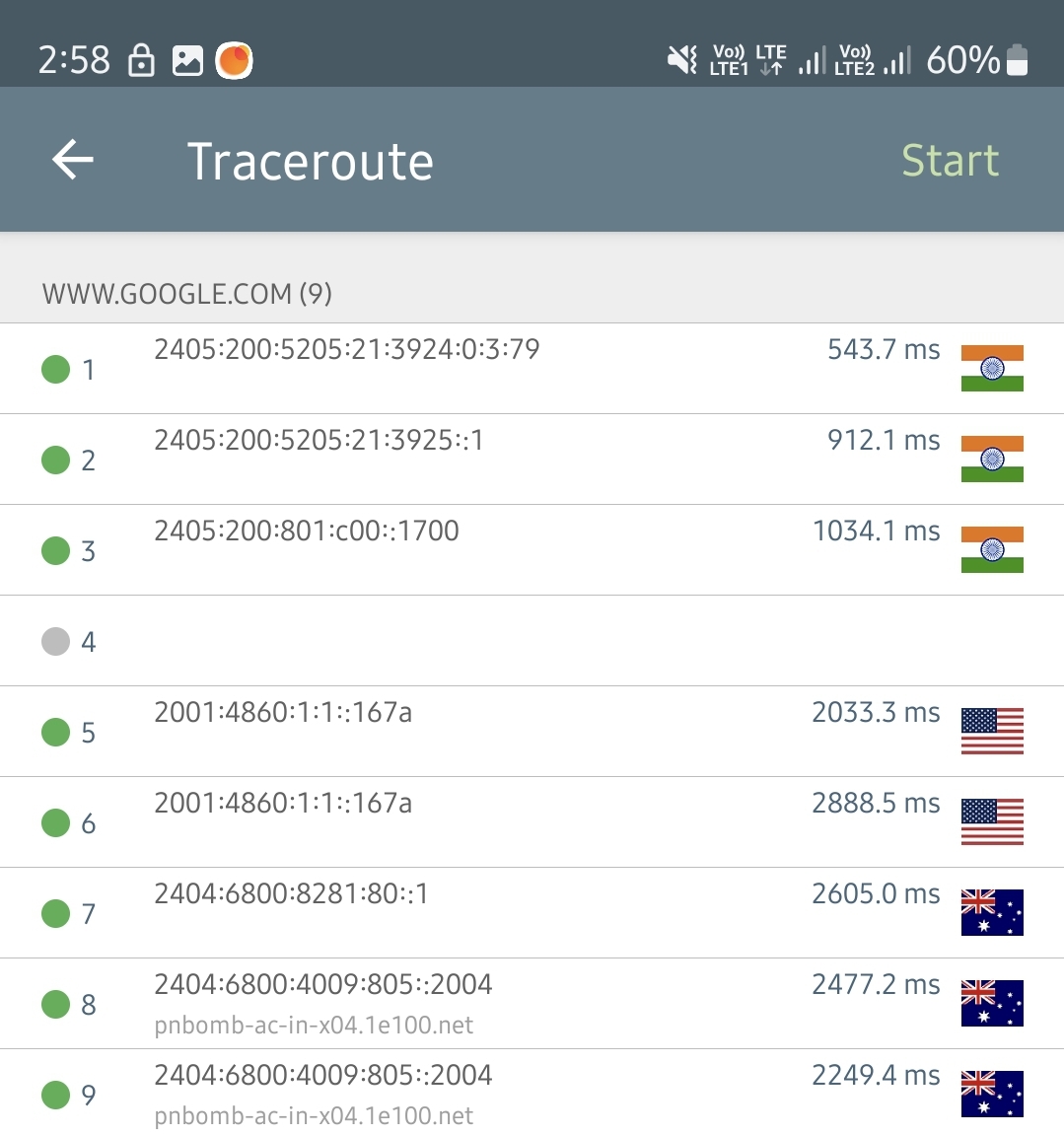
Can anybody traceroute on their jio simcard (using ipv4 then ipv6) to google and jio's website

Screenshot-20240128-031145-Network-Analyzer.jpg


I just noticed it's all blank incase of ipv4 first hop is 192.0.0.1 then packet is going nowhere

And incase of ipv6 the timings are horrible like 3seconds per hop
That too given my location (Ulhasnagar like 50km from Mumbai) i never had bad ping to anything ever either with broadband or cellular data.
 
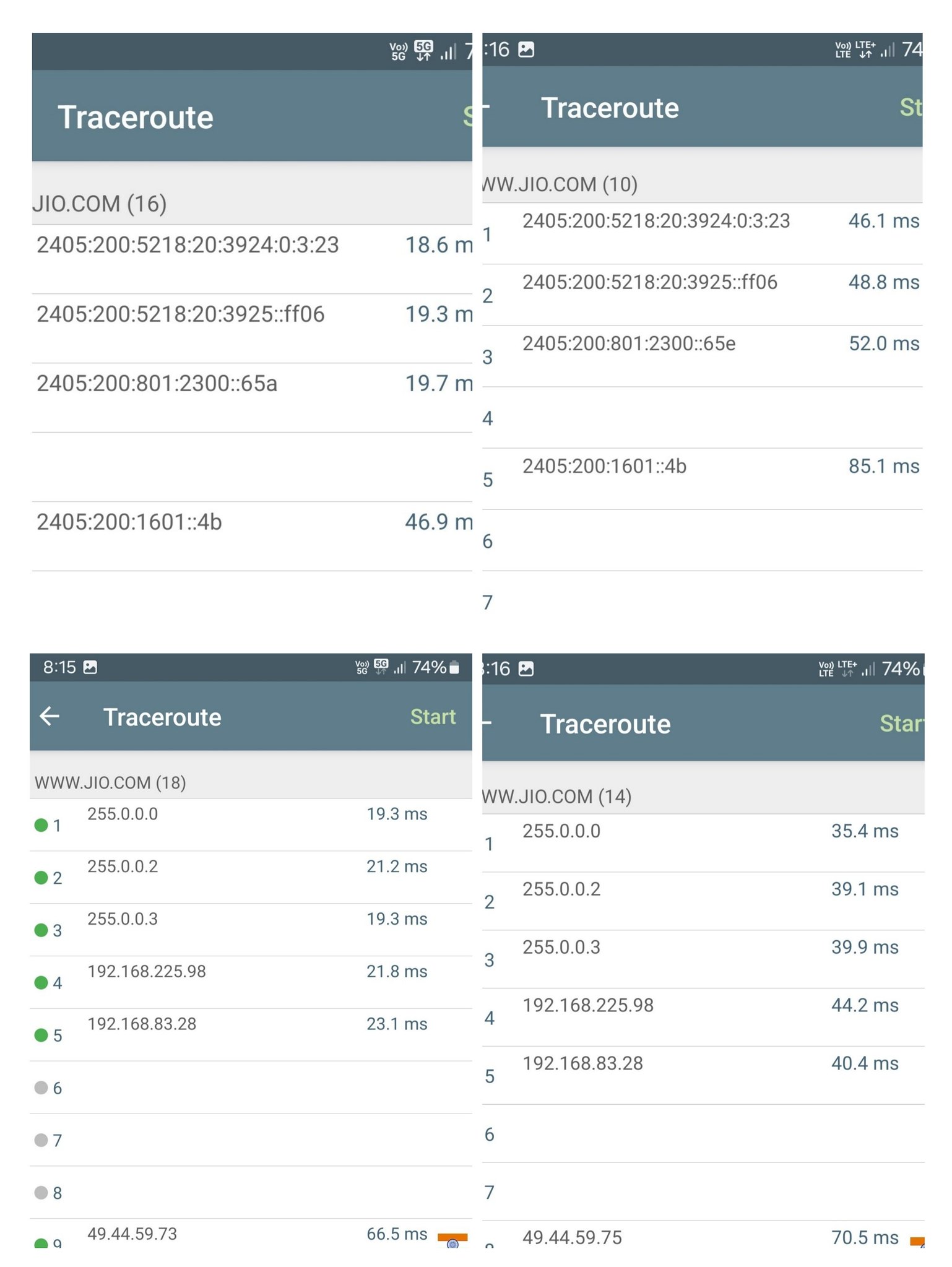
Traceroute to Jio...

53492141226_2a5700072f_k.jpg


Traceroute to Google via 5G...

Code:
traceroute google.com                                                                                                                                     ~
traceroute to google.com (142.250.183.46), 64 hops max, 52 byte packets
 1  192.168.82.19 (192.168.82.19)  3.038 ms  2.436 ms  2.164 ms
 2  255.0.0.0 (255.0.0.0)  40.364 ms  35.249 ms  31.108 ms
 3  255.0.0.2 (255.0.0.2)  34.599 ms  28.515 ms  30.978 ms
 4  255.0.0.3 (255.0.0.3)  38.637 ms  37.490 ms  31.775 ms
 5  192.168.225.98 (192.168.225.98)  32.380 ms
    192.168.225.99 (192.168.225.99)  58.773 ms  30.753 ms
 6  192.168.83.24 (192.168.83.24)  29.488 ms
    192.168.83.26 (192.168.83.26)  31.076 ms
    192.168.83.28 (192.168.83.28)  29.687 ms
 7  * * *
 8  * * *
 9  * * *
10  * * *
11  * * *
12  * 72.14.211.138 (72.14.211.138)  73.481 ms  57.747 ms
13  * * *
14  142.250.228.50 (142.250.228.50)  73.246 ms
    72.14.236.218 (72.14.236.218)  64.161 ms
    142.251.69.42 (142.251.69.42)  58.857 ms
15  142.250.62.153 (142.250.62.153)  59.703 ms
    108.170.248.194 (108.170.248.194)  62.721 ms  63.847 ms
16  bom12s11-in-f14.1e100.net (142.250.183.46)  72.638 ms  58.315 ms
    108.170.248.161 (108.170.248.161)  65.484 ms

traceroute6 google.com                                                                                                                                          ~
traceroute6 to google.com (2404:6800:4009:821::200e) from 2409:40f4:1016:628a:5859:ec1:a410:8b7, 64 hops max, 12 byte packets
 1  * * *
 2  2405:200:5218:20:3924:0:3:23  30.688 ms  40.083 ms  26.105 ms
 3  2405:200:5218:20:3925::ff06  33.133 ms  47.382 ms  33.959 ms
 4  2405:200:801:2300::658  28.000 ms
    2405:200:801:2300::65c  33.182 ms  29.344 ms
 5  * * *
 6  * * *
 7  * * *
 8  2405:200:802:761::1  52.807 ms  70.848 ms  50.766 ms
 9  2001:4860:1:1::a14  75.952 ms  59.293 ms  59.172 ms
10  2404:6800:8048::1  54.709 ms
    2404:6800:810e::1  76.171 ms
    2404:6800:8034::1  56.098 ms
11  2001:4860:0:1::49e4  80.184 ms
    2001:4860:0:1::7ba6  297.984 ms *
12  2001:4860:0:1::40a1  207.277 ms
    2001:4860:0:1::2a47  187.850 ms
    2001:4860:0:115d::2  167.641 ms
13  2001:4860:0:115b::1  167.676 ms
    bom12s11-in-x0e.1e100.net  172.783 ms  165.980 ms

Can't test on LTE mode for google.com now.
 
Last edited:
Thank you so much, this really shows something is seriously wrong with my network. And i don't think jio will put in any efforts to even look into details
 
@TheNuttyNet
Your hop only shows 192.0.0.1, because Jio is only providing IPv6 at your location, the 1st hop is your phone itself.
From then on, it is 464xlat.

Not every region has this implemented completely, but this is the future for telcos.
LTE still uses normal IPV4.

IPV4:
Code:
Pinging google.com [142.250.183.174] with 32 bytes of data:
Reply from 142.250.183.174: bytes=32 time=28ms TTL=52

Ping statistics for 142.250.183.174:
    Packets: Sent = 1, Received = 1, Lost = 0 (0% loss),
Approximate round trip times in milli-seconds:
    Minimum = 28ms, Maximum = 28ms, Average = 28ms
 
Tracing route to google.com [142.250.183.174]
over a maximum of 30 hops:

  1    <1 ms     2 ms     1 ms  192.168.153.190
  2     8 ms     4 ms     5 ms  192.0.0.7
  3     *        *        *     Request timed out.
  4     *        *        *     Request timed out.
  5     *        *        *     Request timed out.
  6     *        *        *     Request timed out.

IPV6:
Code:
Pinging google.com [2404:6800:4009:82e::200e] with 32 bytes of data:
Reply from 2404:6800:4009:82e::200e: time=38ms

Ping statistics for 2404:6800:4009:82e::200e:
    Packets: Sent = 1, Received = 1, Lost = 0 (0% loss),
Approximate round trip times in milli-seconds:
    Minimum = 38ms, Maximum = 38ms, Average = 38ms
 
Tracing route to google.com [2404:6800:4009:82e::200e]
over a maximum of 30 hops:

  1     1 ms     1 ms     1 ms  2409:40c0:104d:22ca::6c
  2    12 ms     8 ms    10 ms  2405:200:5201:20:3924:0:3:77
  3    31 ms    16 ms    13 ms  2405:200:5201:20:3925::ff08
  4    15 ms    13 ms    12 ms  2405:200:801:200::2c4
  5     *        *        *     Request timed out.
  6     *        *        *     Request timed out.
  7    40 ms    12 ms    15 ms  2001:4860:1:1::3c8
  8    33 ms    12 ms    15 ms  2404:6800:80db::1
  9    19 ms    15 ms    13 ms  2001:4860:0:1::43d4
 10    29 ms    11 ms    14 ms  2001:4860:0:115b::2
 11    16 ms    21 ms    18 ms  2001:4860:0:1::f7d
 12    15 ms    14 ms    13 ms  2001:4860:0:1::5cd3
 13    27 ms    15 ms    13 ms  2404:6800:4009:82e::200e

How 464xlat works in backend.
Code:
Tracing route to 64:ff9b::2ee8:d2c6 over a maximum of 30 hops

  1    <1 ms    <1 ms    <1 ms  2409:40c0:104d:22ca::6c
  2    30 ms    16 ms    19 ms  2405:200:5201:20:3924:0:3:77
  3    46 ms    10 ms    15 ms  2405:200:5201:20:3925::ff08
  4    22 ms    13 ms    14 ms  2405:200:88a:3631:62::a
  5    31 ms    16 ms    11 ms  64:ff9b::ac11:b202
  6    35 ms    14 ms    17 ms  64:ff9b::c0a8:d956
  7     *        *        *     Request timed out.
  8     *        *        *     Request timed out.
  9    26 ms    20 ms    14 ms  64:ff9b::67c6:8cb0
 10   140 ms   129 ms   129 ms  64:ff9b::67c6:8cd7
 11   143 ms   141 ms   141 ms  64:ff9b::67c6:8c51
 12   139 ms   126 ms   130 ms  ae15-0.fra20.core-backbone.com [64:ff9b::538:14e5]
 13   143 ms   134 ms   139 ms  ae5-2074.ams10.core-backbone.com [64:ff9b::515f:28a]
 14   158 ms   139 ms   132 ms  coreb-ams.cdn77.com [64:ff9b::a996:c340]
 15   163 ms   143 ms   150 ms  unn-169-150-192-153.cdn77.com [64:ff9b::a996:c099]
 16   172 ms   133 ms   135 ms  64:ff9b::2ee8:d2c6
 
Last edited:
@Lolita_Magnum Thank you for running traceroutes :) Yeah i did came across this transition to ipv6


So after 17-18 Emails to Appellate Maharashtra the conclusion is "You've been upgraded to 5G, Please enjoy 5G. We're constantly expanding our 5G network."
They want to know locations where 5G isn't working properly so they can "expand" totally neglecting my issue is with 4G.

Even on call (Appellate office) we have to deal with customer support team so for obvious reasons they don't understand half of the technical terms, I don't know if that dude understood i wasn't even able to "ping" websites.
 
Hey I got the same issue .
At first I thought it's my phone's issue.
5G works perfectly but inside my house I don't get 5G it gets switched to 4G and data does not work not even 10kbps.
But when I switch to 4G only mode then internet works but still sometimes it gets cuts and ping is high.
I'm thinking it's the issue of the sim card and thinking of replacing it
 
No, I face the same issue sometimes. It only happens with jio and not Airtel because of SA. It's because of trying to latch on to 5G SA from 4G. 4G only fixes the issue. Experiencing it since 2022 so I perfectly know it. It's not your sim or phone issue it's just Jio and their configs.
 
Oh ok thanks for your advice
I only just Ported to jio because there is only jio's 5G available in my area.
Guess I have to switch back to Airtel.
Even the 4G only mode doesn't work properly as Airtel.
On jio with 4G only mode the internet works only when it shows 4G+ if not it doesn't work🥲
 
Back