
-
Amazon Deals - ToS - Like us?
You are using an out of date browser. It may not display this or other websites correctly.
You should upgrade or use an alternative browser.
Airtel is rolling out IPv6 on their wired broadband services
- Thread starter gopichandpai
- Start date
- Replies 472
- Views 89,704
-
- Tags
- ipv6
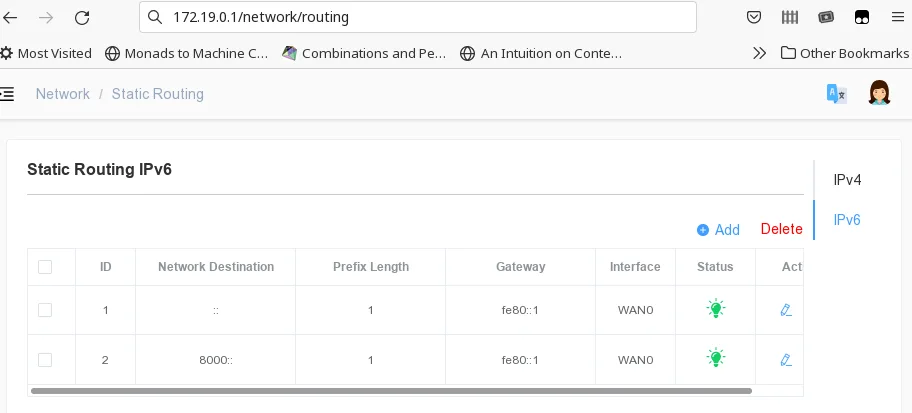
Also there's no need to send a hint requesting a /64. That's the ISP's choice. The v6 client only needs to send a broadcast for DHCPv6 servers over the PPPoE link and the authorised DHCPv6 server(s) will reply with either an address/64 or a /64 prefix only.
If the ISP responds with /64 prefix only, then your router client needs DHCP-PD capabilities to auto-configure addresses for itself.
It's not interfering.. it's actually enabling the IPv6 DHCPv6 process. Unless you have a running PPPoE circuit with the BNG, there is no path on which the DHCPv6 solicit message can travel towards the BNG.
And it seems like since yesterday, they seem to have applied some ACLs where they don't have direct peering with the endpoint  . Pretty much unusable at this point:
Code:
                                                       My traceroute  [v0.94]
hostname (2401:4900:1f30:XXXX:XXXX:XXXX:XXXX:XXXX) -> k.root-servers.net                                    2021-09-20T11:28:25+0530
Keys:  Help   Display mode   Restart statistics   Order of fields   quit
                                                                                           Packets               Pings
 Host                                                                                    Loss%   Snt   Last   Avg  Best  Wrst StDev
 1. AS24560  2401:4900:1f30:XXXX:XXXX:XXXX:XXXX:XXXX                                      0.6%   533    1.8   5.5   1.4  85.4  12.1
 2. AS24560  2401:4900:1f30:8fff::1                                                       0.0%   533    6.2  10.8   4.3  93.2  13.7
 3. AS9498   2404:a800:1a00:901::99                                                       0.0%   533    6.0  10.7   4.2 120.7  13.8
 4. (waiting for reply)


────────────────────────────────────────────────────────────────────────────────────────────────────────────────────────────────────
                                                       My traceroute  [v0.94]
hostname (2401:4900:1f30:XXXX:XXXX:XXXX:XXXX:XXXX) -> f.root-servers.net                                    2021-09-20T11:28:25+0530
Keys:  Help   Display mode   Restart statistics   Order of fields   quit
                                                                                           Packets               Pings
 Host                                                                                    Loss%   Snt   Last   Avg  Best  Wrst StDev
 1. (waiting for reply)
 2. AS24560  2401:4900:1f30:8fff::1                                                       0.0%   527   23.2  12.2   3.7  94.1  15.2
 3. AS9498   2404:a800:1a00:901::99                                                       0.0%   527   15.8  11.8   4.5 126.6  17.1
 4. AS9498   2404:a800::208                                                               0.0%   527    8.5  23.6   5.5 215.7  31.4
 5. AS9498   2404:a800:0:29::cf                                                           0.0%   526    6.2  12.5   5.9  91.0  12.2
 6. AS3557   f.root-servers.net                                                           0.0%   526    7.5   9.5   4.8  85.8   9.2

Airtel has started giving /64 ipv6 address in Mumbai. It seems they are doing that only in some areas. In my area they say the server serving me is ipv4 only. Whereas 2km away a separate server is giving ipv4+ipv6 addresses. Don't understand the logic here. Can anyone else confirm the same in Mumbai??
- Messages
- 1,672
- Location
- Pune
- ISP
- FTTH: TPF (Static v4/IPv6), Airtel (Static v4/IPv6)
5G: Jio, Airtel & VI
- Messages
- 1,672
- Location
- Pune
- ISP
- FTTH: TPF (Static v4/IPv6), Airtel (Static v4/IPv6)
5G: Jio, Airtel & VI
@Notorious ask them for a static IP
Similar threads

- Replies
- 10
- Views
- 5,178

- Replies
- 5
- Views
- 6,194