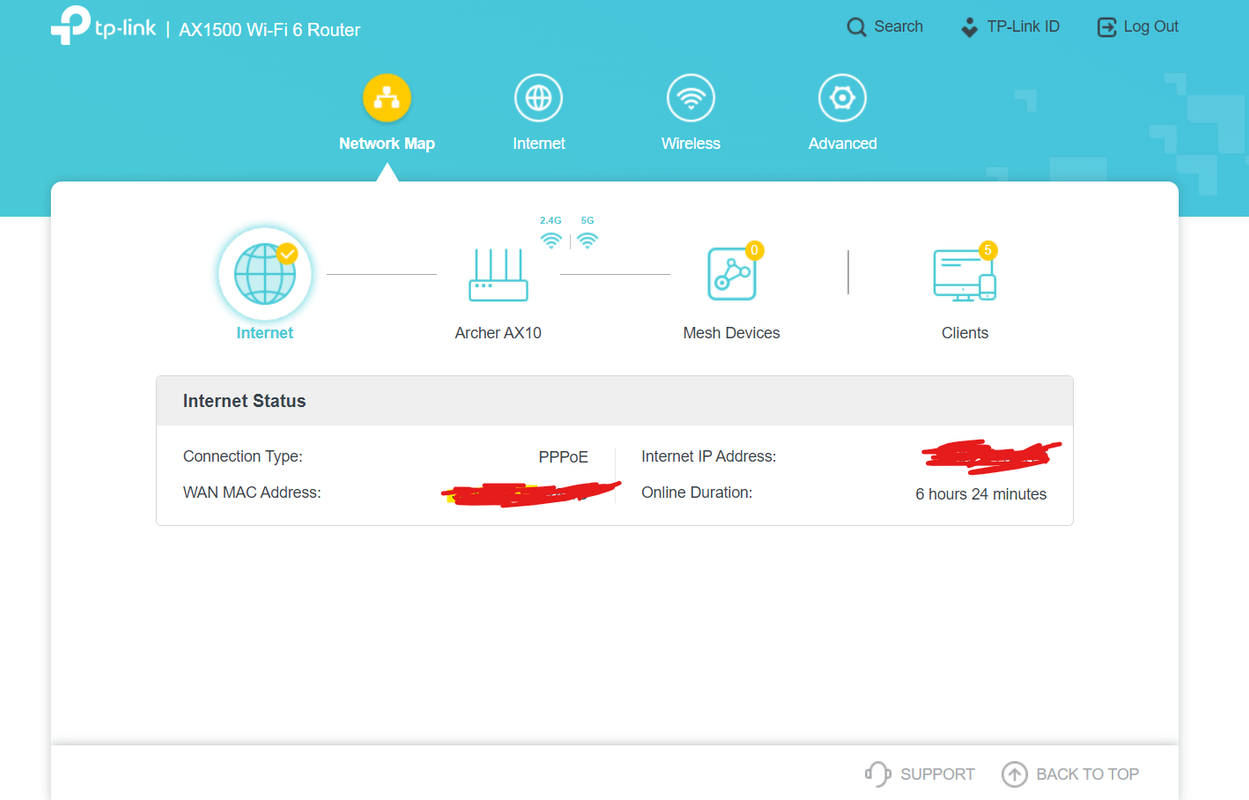
Yes i have a way and i am on bridge mode right now in airtel. Airtel has given me a Nokia G2425G-A(ONT+router), i connected my TP-Link archer AX1500 router and nokia(ONT+router) via Ethernet. I used LAN1 in nokia(ONT+router) because its full duplex and connected it to my tp links' WAN port. I turned off nokia's wifi(2.4G and 5G) because i only wanted to use my tp link router's wifi.
In the starting i was using dynamic ip for internet on my tp link router but double nat was getting detected. So i searched online and got to know that i needed to have bridge mode to solve issues like double nat. So i went to nokia's (ONT+Router) router page and in wan settings i set all port to bridge mode, it was previously set to route mode. My internet stopped working because bridge needs to be activated from airtel itself. So i called their customer care from my registered mobile no and you will notice that before it connects to the customer care it will check itself if the connection is working or not, like i said my internet stopped working so it raised a complaint itself and the best part was it didn't give it to the local technician but gave it to the technician who can actually activate your bridge mode.
Airtel sent me a message raising my complaint and gave it to this technician. I got on call with this technician, i told her that i have connected my tp link router with nokia(ONT+router) and now i am having double nat issues and my internet is not working as i set all port to bridge mode in nokia(ONT+router), so please activate bridge on Lan1. First she tried to access my nokia's(ONT+router) router page but she couldn't do anything as everything was locked because i set all port to bridge mode. So she asked me to reset the router. But here's another thing that i have noticed and airtel as well know that resetting these Airtel's provided ONT+Routers( in my case nokia G2425G-A)) can mess these routers up.
I previously had a nokia router and after resetting it, it messed up( i was getting issues in channels, the nokia(ONT+router) wasn't giving right channels to connected devices). So i told the technician that resetting the router might mess up the router and she agreed to me and said," yes i know thats why i don't ask customers to reset it myself" and I requested her to activate bridge again and she said okay dont worry, she will do something and i don't have to reset my Nokia(ONT+router).
She called me after 10-20 mins, said my bridge has been activated and wrote me down my PPPoe Username and Password and asked me to use my internet. One thing to note, when the technician says that your bridge has been activated, please restart your nokia(ONT+router) and your other router. Thank you.
In the starting i was using dynamic ip for internet on my tp link router but double nat was getting detected. So i searched online and got to know that i needed to have bridge mode to solve issues like double nat. So i went to nokia's (ONT+Router) router page and in wan settings i set all port to bridge mode, it was previously set to route mode. My internet stopped working because bridge needs to be activated from airtel itself. So i called their customer care from my registered mobile no and you will notice that before it connects to the customer care it will check itself if the connection is working or not, like i said my internet stopped working so it raised a complaint itself and the best part was it didn't give it to the local technician but gave it to the technician who can actually activate your bridge mode.
Airtel sent me a message raising my complaint and gave it to this technician. I got on call with this technician, i told her that i have connected my tp link router with nokia(ONT+router) and now i am having double nat issues and my internet is not working as i set all port to bridge mode in nokia(ONT+router), so please activate bridge on Lan1. First she tried to access my nokia's(ONT+router) router page but she couldn't do anything as everything was locked because i set all port to bridge mode. So she asked me to reset the router. But here's another thing that i have noticed and airtel as well know that resetting these Airtel's provided ONT+Routers( in my case nokia G2425G-A)) can mess these routers up.
I previously had a nokia router and after resetting it, it messed up( i was getting issues in channels, the nokia(ONT+router) wasn't giving right channels to connected devices). So i told the technician that resetting the router might mess up the router and she agreed to me and said," yes i know thats why i don't ask customers to reset it myself" and I requested her to activate bridge again and she said okay dont worry, she will do something and i don't have to reset my Nokia(ONT+router).
She called me after 10-20 mins, said my bridge has been activated and wrote me down my PPPoe Username and Password and asked me to use my internet. One thing to note, when the technician says that your bridge has been activated, please restart your nokia(ONT+router) and your other router. Thank you.
Last edited by a moderator: