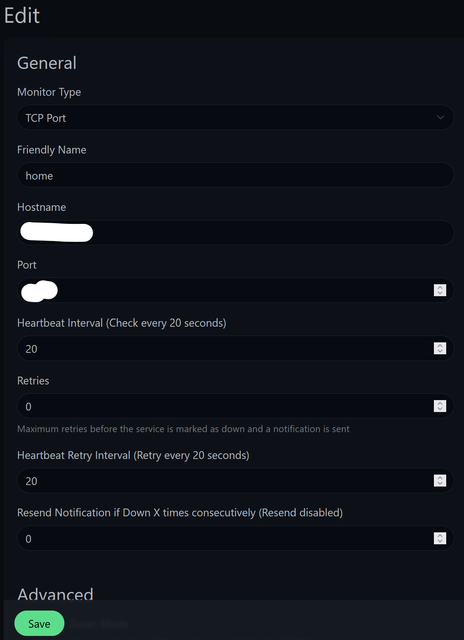
@imdarkray I do have similar setup running and setup telegram alerts to monitor up/down events. But can you explain this unique port number part? How ping works on specific port number? Or you meant TCP connection on specific port?
yes. Mine is set up to monitor on a unique TCP port only. But you can set it up in other ways too. Technically it's not ping. but it does monitor specific connections on a TCP port.
@vishalrao I know the difference between mbps and MB/s my concern was it fluctuates between 70-80 MB/s only it won't get much higher whereas I am able to reach much higher speeds on every speed test server
not only that now my connection geolocation is showing I am from Germany and every website is showing results according to geolocation this is a major issue especially on the desktop, on the phone I can't even use Google Pay since it doesn't work in Germany I had to switch on mobile data to get it to work
I not only tried to talk about this with customer care but also with the L2 team in my area but they are not ready to acknowledge the issue
just now I talked to a guy from customer care and he said my connection is on dynamic IP only and said I would ned to get static IP
like wth I am already on public pppoe and static IP
so I asked him to enable the static IP for my connection again
What are you downloading from ? to check the 70-80 speed.
What website/app are you using for geolocation, the IPs you have shared above show up as Karnataka.
The whole Airtel Broadband (AS23552 - AS24575) subnet is registered with APNIC for region India only. Maybe you have enabled Cloudflare Warp on your device?
This website uses affiliate links. This means that if you click on a link and make a purchase, we may receive a commission. This does not affect the price you pay for the product.
This site uses cookies to help personalise content, tailor your experience and to keep you logged in if you register.
By continuing to use this site, you are consenting to our use of cookies.