internet too slow until restart router

  • Thread starter Thread starter starter
  • Start date Start date
  • Replies Replies 52
  • Views Views 2,884
thanks you ,my doubt cleared , i was confused which mac address need to copied ,and what to do vlan

i will try 2 day later ,if successfull i will make detailed tutorial to help others

and thanks your suggestion for backing up config , that was my first step ,and everyone should make back up of cofig before changing any setting
 
thanks you guys ,but bridging is risky

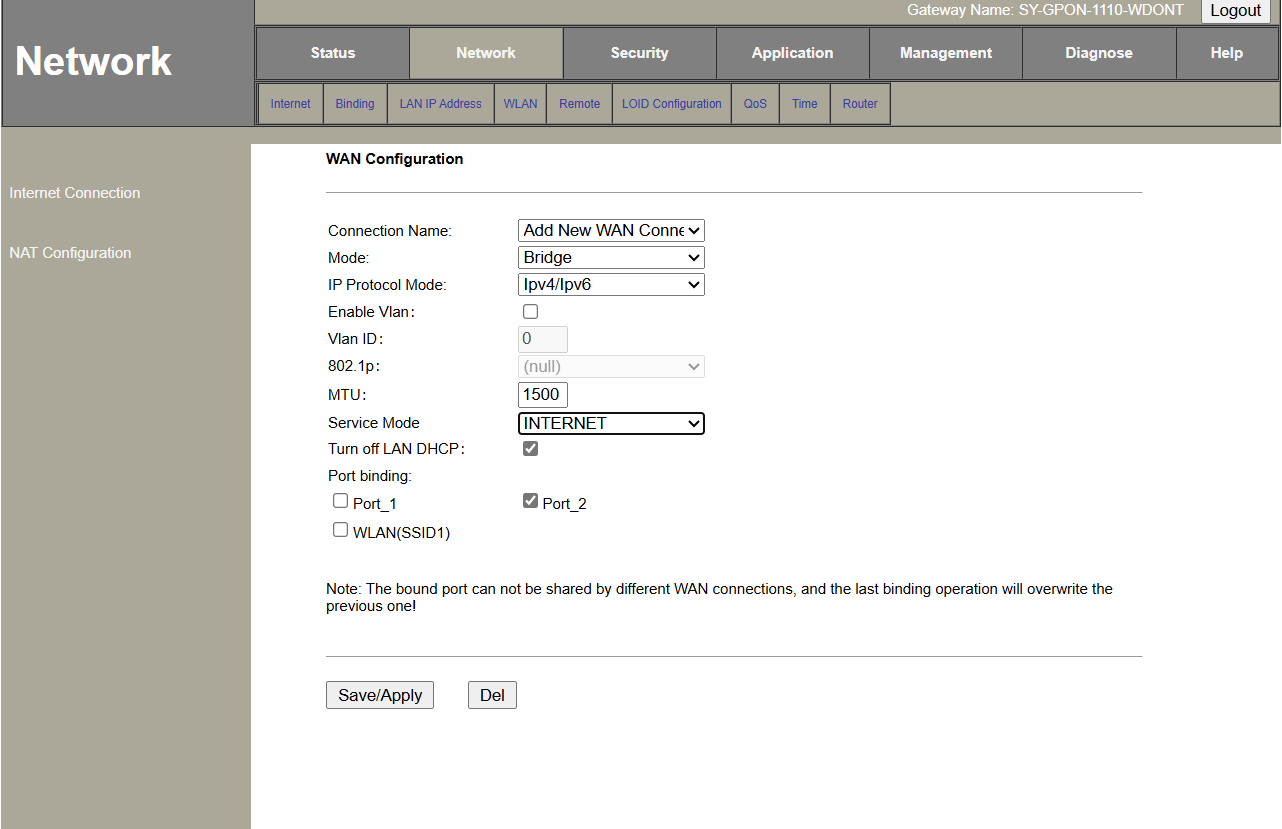
i made new bridge connection ,bind lan and connect D-Link router ,i setup dlink ( their was no option to set mac address initially ,so after setup and went to internet connection and then cloned the mac address, but my router immediately went auth fail
after waiting for several hours ,i went to office and told what i did, as expected he dont know about bridge mode, he told technician on call to go my home

he came after 2 hours ,and asked me what i did,he immediately called someone and told that my router went blacklisted ,and asked them to remove black listed

he told me ,you should have asked me ,i can do it for you ,but he told since router is old ,so you will not see any advantage ,you need new router

i asked my router blacklisted

he said , whenever server see two different mac address ,it blocks connection ( known as sorting in their language )

after whole night and half day passed ,when my connection doest went up ,i called him again ,he came with another router ,and changed it and took my router for testing ( because i told them why i was trying to setup bridge connection )

he will come again, i hope everything will be good ,otherwise i have to leave bsnl

suggestion - who ever trying bridge mode ,please make sure you cloned mac address before trying to connect ,dont let your router make connection with default mac address

even i surprised that isp was to fast for blacklisting my router ,whereas i see many one here saying they tried many times ,still no problem
 
@starter this is strange never happened with me and how come two MAC address will be registered if your Ont is Mac binded then what ever other router you connect with it will work in default route mode all connection will be handled by Ont after you bridge your router in dir600m there is a option to copy your MAC address shown on Ont page also posted in this forum how to setup bridge mode you can refer to those thread I took help from them only dir 600m worked correctly after restarting now my TP-Link also working flawlessly don’t know how can a router get blacklisted when the Ont is already mac binded it can refuse to connect but as soon as you change to route mode from bridge it should be working.
 
yes bro i also thought same, since ont is already binded ,their can only 2 condition , router works or not, it should not register

x0O32JY.png
 
If you lay out the steps you did in pics, it would be easier for others to offer help. While ONT can get blocked/blacklisted, it would take a misconfiguration or repeated attempts to achieve that.

Also from the other thread, since you said your ONT is remotely controlled you have to ask them for bridge mode configuration and then you can configure the rest on your router.
 
technician told me that he can do that for me but told me that their is no benefit in using old router ,you will need new router

i did only 2 attempt , one is with default D-Link mac address ,and one with mac address of ont and my ont got blacklisted

yes ,most probably ,since my ont is remotely controlled ,so im not allowed to use bridge mode and attempting to bridge will result in instant blacklisted
 
There are different MAC addresses on the same device. You are supposed to use/copy WAN MAC address, not the device MAC address.
 
i used device mac , next i was gonna try wan mac address ,but before trying ,my ont blacklisted

i was thinking ,in worst condition internet will not work as mac address is binded to ont and it will not change ,so their can be only 2 condition ,either internet work or not ,but getting blacklisted is out of syllabus
 
That's why your ONT got blocked/blacklisted automatically. I already mentioned it previously to specifically use WAN MAC address. Pay attention. Your device didn't get blocked for trying to bridge but because their system saw 2 same MAC addresses and blocked the address.
 
Back